Everything in one window
Built for collectors and speedrunners. No account, no install, no nonsense.
Game Capture OCR
Capture any window, run text recognition, and auto-mark fish & bugs as you catch them. Multi-pipeline OCR with fuzzy matching handles imperfect reads.
Splits System
Define speedrun splits with per-split fish & bug targets, highlight colours, and styles. Navigate with arrow keys. Optional no-catch mode for intro splits.
LiveSplit Integration
Connect via TCP. Match split names between the tracker and LiveSplit — targets update automatically as you progress through splits.
Custom Backgrounds
9 built-in pattern styles with custom colours, or load your own image. Backgrounds tile seamlessly behind the full gallery.
Profiles & Export
Save and reload named profiles for different runs or goals. Export/import your entire setup as a single file for backups or sharing.
Flexible Layout
Auto-sizing or fixed columns, adjustable gaps, invert mode (gray = caught), name toggle, and per-game layout memory. Track fish, bugs, or both.
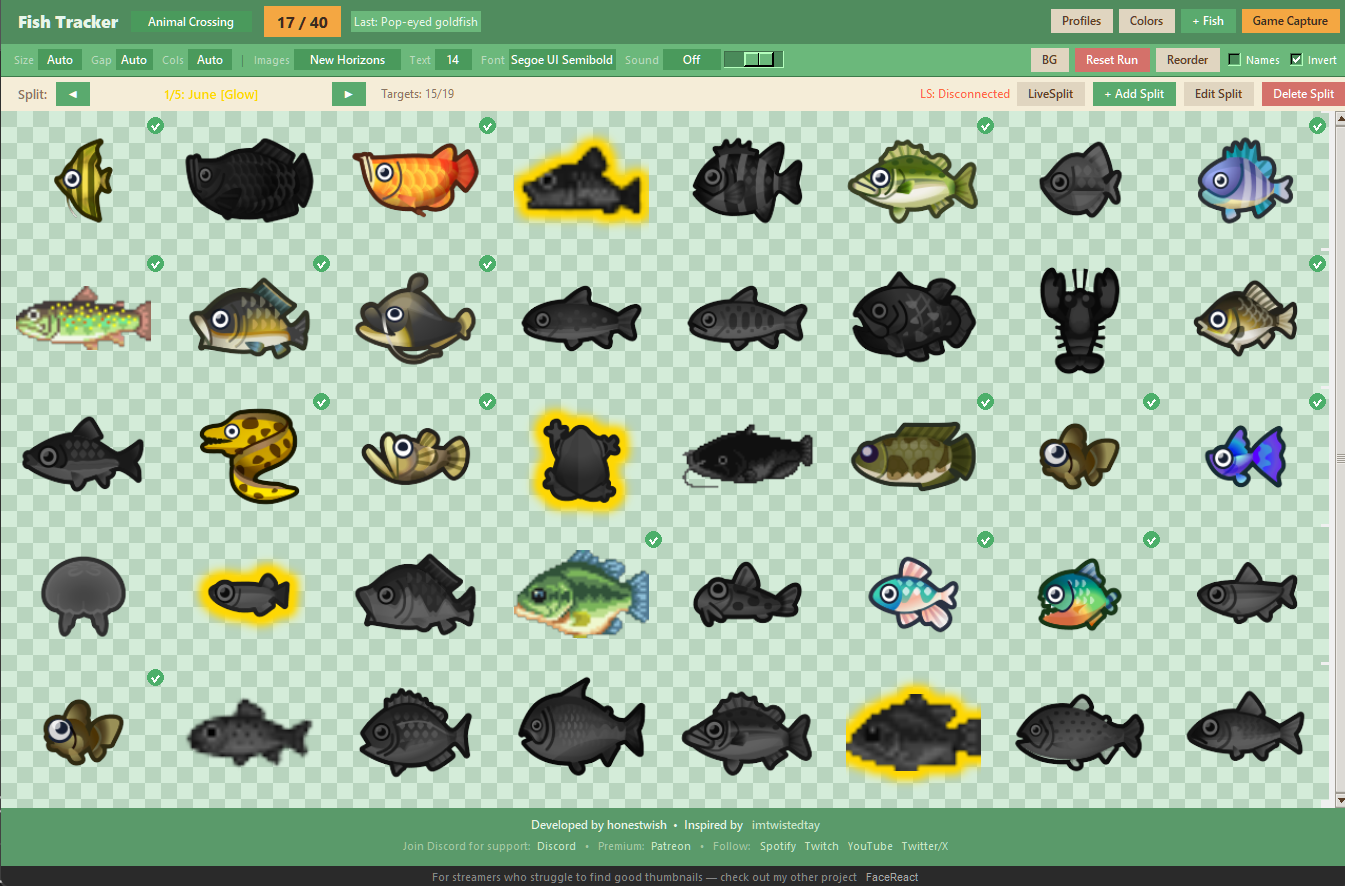
Main Gallery — click to expand
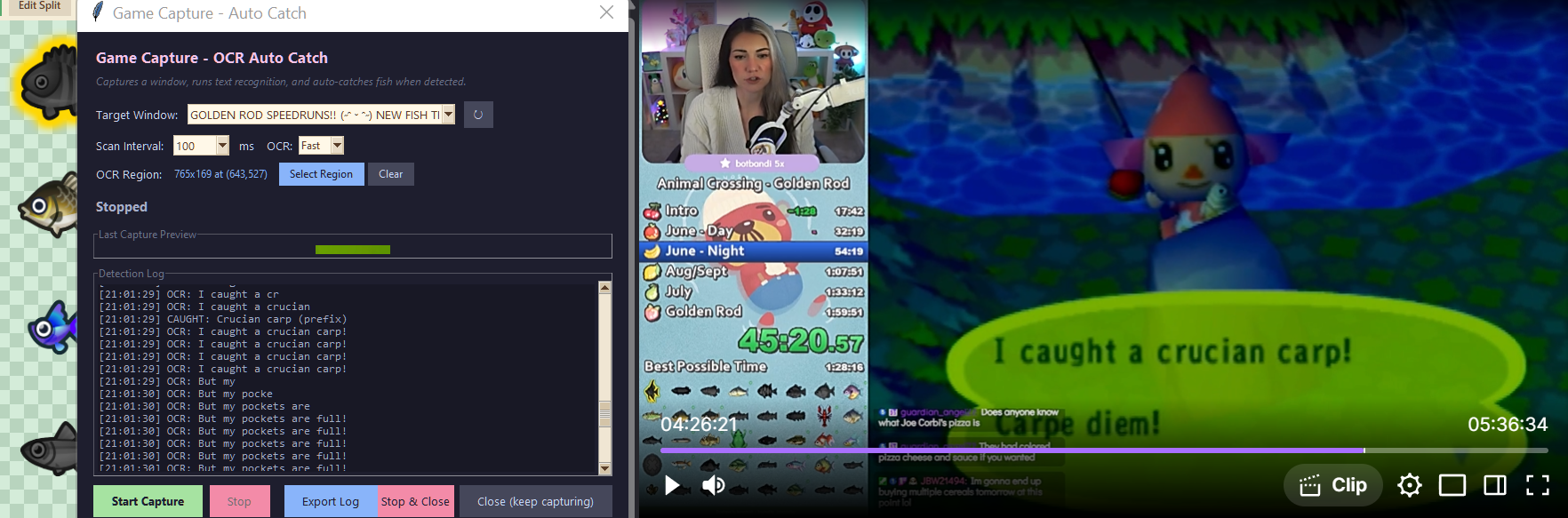
Game Capture / OCR Log — click to expand